

Picture this: you don't want to pay ChatGPT's monthly subscription, and you'd rather run a 'private AI assistant' on your own laptop — one that never sends your notes, drafts or passwords to anyone. Or you want to build your own little AI app: a chatbot for your blog, an auto-poster, something that turns your messy meeting notes into clean minutes. The good news: in 2026 you can do all of this for free, with projects anyone can download and run. This article picks the eight most useful open-source AI projects of the year, explains each one in plain language, and helps you choose where to start tonight.
First, one idea to get out of the way: 'open source' means the code is public, free to use, free to copy and free to modify. No subscription, no quota — and when you run it locally, your data never leaves your computer. Think of it as cooking at home instead of eating out: similar meal, but the kitchen is yours. Everything below is open source, and most of it is one command or one installer away.

1. Ollama — a private AI running on your own computer
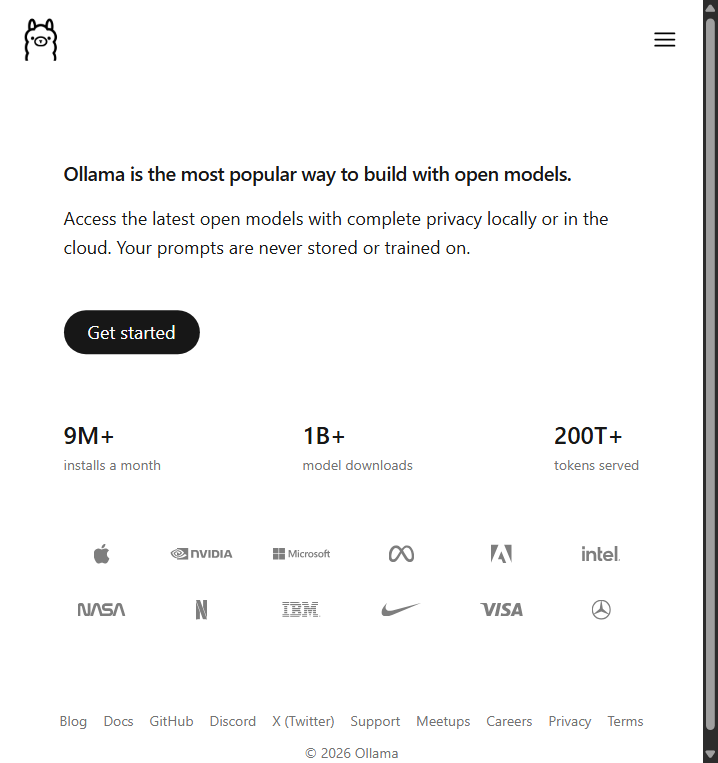
Ollama is the easiest way to run an open-source large model on your own machine. Install it, type one command like 'ollama run llama', and a ChatGPT-style model is chatting with you right inside your terminal — no account needed, and once the model is downloaded, no internet either. Everyday example: write emails, summarize long articles or brainstorm ideas while offline on a plane. Who it's for: total beginners who just want their first local AI. Difficulty: ★. GitHub stars: about 180K+ (the number grows daily — check GitHub for the live count).
2. Open WebUI — give your local model a ChatGPT-style website
Ollama runs models in a plain black terminal, which works but looks bare. Open WebUI sits on top of it and gives you a tidy browser chat page: history, file uploads, one-click model switching, even a settings panel — basically a self-hosted ChatGPT. Everyday example: your whole family or team opens one URL on the network and chats with the models running on your computer. Who it's for: anyone who wants a friendly interface instead of a terminal. Difficulty: ★★ (usually one Docker command). GitHub stars: about 150K+ (per GitHub).
3. llama.cpp — even an old laptop can run big models
llama.cpp is the engine that squeezes large models onto ordinary CPUs (the computing core of your computer), so you don't need an expensive graphics card. Many tools you've heard of quietly use it underneath. Everyday example: a five-year-old laptop with no powerful GPU still chats smoothly with a model of several billion parameters. Who it's for: technical tinkerers and anyone with modest hardware. Difficulty: ★★★ (a bit of setup, but tutorials are everywhere). GitHub stars: about 130K (per GitHub).
4. ComfyUI — draw AI images with a flowchart
ComfyUI is a node-based canvas: you drag boxes (load a model, write a prompt, adjust steps) and connect them with lines to build an image-generation pipeline. It's less instant than typing one sentence, but you get total control — most professional AI art workflows run on it. Everyday example: a reusable pipeline that turns a rough sketch into a finished illustration in your exact style. Who it's for: artists, designers and detail-loving advanced players. Difficulty: ★★★★. GitHub stars: about 140K+ (per GitHub).
5. Dify — build your own AI app without becoming a programmer
Dify lets you assemble an AI application on a visual canvas: connect a model, attach your own documents as a knowledge base, draw a workflow with boxes, then publish a chatbot or an API endpoint. Half no-code, half developer-friendly. Everyday example: 'a support bot trained on my shop's FAQ' or 'a tool that drafts product descriptions from a spreadsheet' — done in an afternoon. Who it's for: entrepreneurs and teams prototyping AI products. Difficulty: ★★. GitHub stars: about 120K+ (per GitHub).
6. LangChain — the standard toolkit for developers
LangChain is a code framework (Python / JavaScript) that wires models to your data: search the web, read a database, call an API, chain several steps together. It's the Lego bricks programmers use to build real AI products. Everyday example: 'read my uploaded PDFs, then answer questions citing them'. Who it's for: programmers. Difficulty: ★★★★★ (you need to actually code). GitHub stars: about 130K+ (per GitHub).
7. OpenHands — an AI agent that writes code with you
OpenHands (formerly OpenDevin) is an open-source agent: give it a task like 'build me a small todo web app', and it reads your files, writes code, runs commands and fixes errors on its own — like a junior developer you supervise. Everyday example: wake up to a working draft of a webpage or script you asked for overnight. Who it's for: developers who want an AI pair programmer, and curious beginners who can follow a tutorial. Difficulty: ★★★. GitHub stars: about 90K (per GitHub).
8. AutoGen — let several AIs hold a meeting
AutoGen comes from Microsoft Research. Instead of one model answering everything, you set up several AI roles — a planner, a writer, a critic — and they talk to each other until the task is done. Everyday example: one AI researches, another drafts, a third fact-checks, fully automatically. Who it's for: developers experimenting with multi-agent systems. Difficulty: ★★★★. GitHub stars: about 60K (per GitHub).
Honorable mention: OpenClaw, a fast-rising open-source AI agent that connects your chat apps (WhatsApp, Telegram, Slack) to tasks on your own hardware. It blew up in 2026 and its star count climbs week by week — check GitHub for the live number if you want the freshest toy.
The quick comparison table
| Project | What it does (plain language) | Best for | Difficulty |
|---|---|---|---|
| Ollama | Run a private AI on your own computer, one command | Beginners, privacy fans | ★ |
| Open WebUI | A tidy chat website for your local models | Families, small teams | ★★ |
| llama.cpp | Squeeze big models onto CPU / old laptops | Tinkerers, modest hardware | ★★★ |
| ComfyUI | Node-based AI image workflows | Artists, advanced users | ★★★★ |
| Dify | Visual builder for chatbots and AI apps | Founders, product prototyping | ★★ |
| LangChain | Code framework linking models to your data | Programmers | ★★★★★ |
| OpenHands | AI coding agent that builds apps for you | Developers, curious learners | ★★★ |
| AutoGen | Multi-agent framework: several AIs collaborate | Developers, researchers | ★★★★ |
So which one should you actually install?
- Just want to run a local model tonight? Start with Ollama — it's one command.
- Want a pretty chat website instead of a terminal? Add Open WebUI on top of Ollama.
- Want to play with AI image generation? Go straight to ComfyUI.
- Want to build a chatbot or AI product prototype? Use Dify.
- Are you a programmer? LangChain for app basics, AutoGen for multi-agent experiments, OpenHands for pair programming.
- Do you have an old computer with no graphics card? llama.cpp is your engine.
Bottom line
Open-source AI in 2026 is no longer something only hackers touch. You can go from 'never ran a model' to chatting with your very own offline AI in about twenty minutes — install Ollama, type one command, and your first local model is running tonight. Everything else in this article builds on that moment. Pick one, start small, and let curiosity decide the next step.
Official Websites (Avoid Phishing)
Fake and phishing sites often rank high in search results. Only use the official URLs below.
AI Chatbots & Assistants
- ChatGPTchatgpt.com
Open Source & Local AI
- Ollamaollama.com
- Open WebUIopenwebui.com
- ComfyUIcomfy.org
- Difydify.ai
- LangChainlangchain.com
- OpenHandsopenhands.dev
- AutoGenmicrosoft.github.io/autogen
- llama.cppgithub.com/ggerganov/llama.cpp
AI Video
- Wanwan.video