Two years ago picking an image tool meant one good option and a handful you settled for. That is not the shape of the market any more, and two arrivals changed the arithmetic: Google's Nano Banana 2, fast, photoreal and already inside Gemini, and xAI's Grok Imagine, which holds one character steady across a whole series. The question that still lands in our inbox most often is whether Claude can make images. It cannot. The nine that can are below.
What each of the nine is for
| Tool | Best for | Price | Notes |
|---|---|---|---|
| Midjourney V8.2 | Artistic quality | $10–60/month | Best-looking output; web app; commercial rights included |
| ChatGPT Images 2.6 (ChatGPT) | All-round + text inside images | Free / $20 Plus | Arena #1; near-perfect text rendering; edits inline; GIF + SVG export (Nov 2026) |
| Google Nano Banana 2 | Speed + photorealism | Free in Gemini app (limits) | 2–4s per image, native 4K; built into Gemini app & Google Search |
| Grok Imagine (Aurora) | Characters that stay consistent | X Premium (free limits) | Image 2.0 ranks #2 worldwide; great for character series |
| FLUX 2.0 / 1.1 Pro | Technical control & API | API / credits | Local or API workflows; LoRA fine-tuning |
| Seedream 5.0 (Jimeng) | Chinese text & edits | Free credits, then paid | ByteDance's model; strong Chinese prompts, 2K output |
| Stable Diffusion | Free unlimited (local) | Free | Needs a good GPU; steep learning curve |
| Adobe Firefly 3 | Commercial safety | $9.99+/month | Licensed training data: safest for brands |
| Claude | Does NOT generate images | Not available | Use via MCP (Recraft, Adobe) or SVG charts instead |
Google Nano Banana 2: the fast, photoreal all-rounder
Google launched Nano Banana 2 on February 26, 2026 (built on Gemini 3.1 Flash Image), and a Nano Banana 2.1 update followed in October. It combines the advanced editing of Nano Banana Pro with Flash-level speed: roughly 2–4 seconds per image, native 4K output, and excellent text rendering. You don't need a separate subscription: it's built into the Gemini app and Google Search. For everyday image needs (a birthday card, a thumbnail, a product mockup) it's arguably the least friction you can get in 2026, and it's genuinely strong at photo-real results.
What we got with a paid account
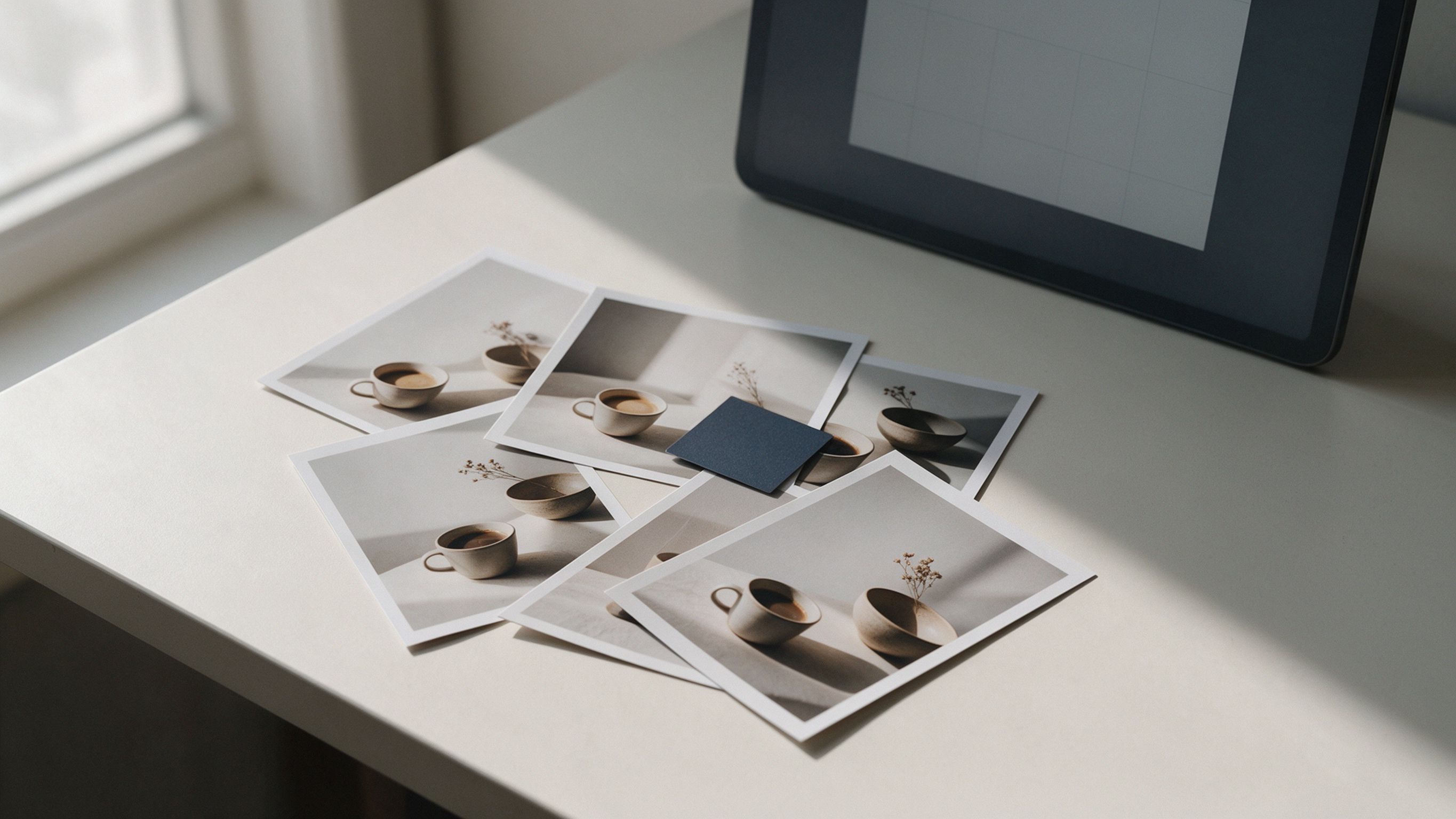
With a paid Google account, open Gemini, click Upload & tools → Create image, and Gemini shows a style gallery instead of asking you to invent styles from scratch. Pick a style card (Steampunk, Tarot card, Ghostly, Costume try-on, Sunrise…), type one sentence, and you get that look applied to your picture. We tested three styles with the exact same sentence (“a steaming cup of coffee on a wooden table”) to show how much the style card changes the result.
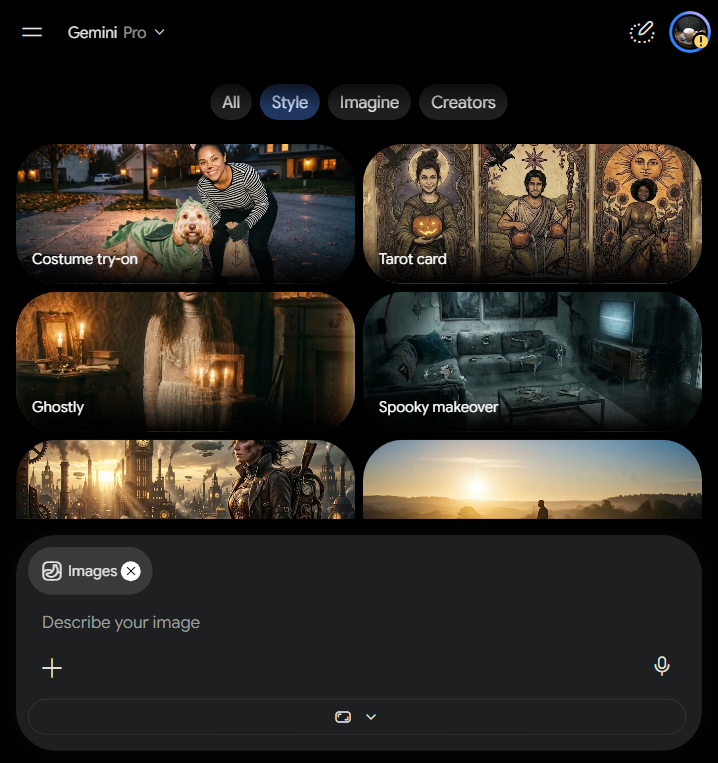
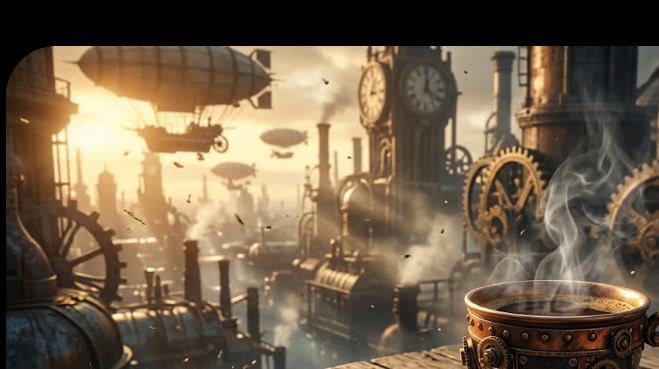
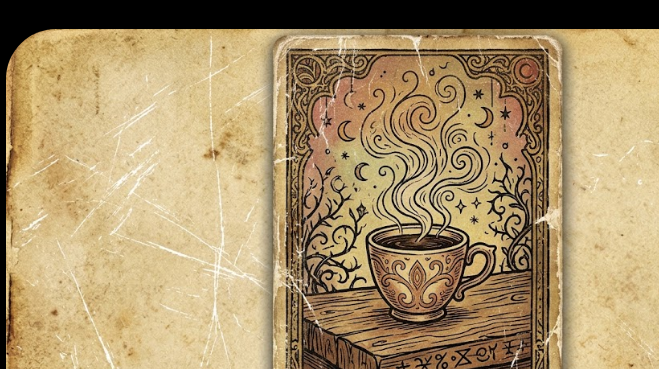

All three images above were generated for real on a paid Gemini account in about 15–30 seconds each. The style gallery rotates more presets than fit on one screen (Costume try-on, Spooky makeover, Lifestyle shot, Technicolor, Enamel pin, Flat lay, Soft portrait…), so the point is you never have to write “make it in 10 styles”. You just pick the style card and describe what you want.
Grok Imagine: the X ecosystem's dark horse
xAI's image model was first known as Aurora; in 2026 it ships as Grok Imagine, and the current generation (Image 2.0, released August 2026) ranks #2 on the world image leaderboards, right behind OpenAI's Images 2.6. Its headline strength is character consistency: about 78% in independent comparisons, meaning the same face, outfit and style survive across a whole series of images. That makes it the best pick for making an AI mascot, an influencer avatar, or a comic-style series. It also renders text inside images better than Midjourney, FLUX and DALL-E. If you already live in X (Twitter), it's zero extra setup. The trade-off: for pure artistic beauty, Midjourney still wins.
Claude? It doesn't generate images
Anthropic's own help center is explicit: Claude does not generate photos or illustrations. It's an image understanding model. It can read and edit around your pictures, and it can draw diagrams, charts and flowcharts by writing HTML/SVG, but it won't paint you a cat. The practical workaround: connect an image tool through MCP (Recraft, Adobe and others offer this) and Claude becomes the brain that plans and writes the prompt while the connected tool draws it. So when someone says “Claude image generation”, what they usually mean is Claude + MCP + another tool.
Midjourney: still the quality leader
Midjourney V8.2 produces the most aesthetic output of any commercial generator in 2026. It's the benchmark for product shots, art and marketing visuals that need to look impressive. It moved to a clean web app (no more Discord-only), plans run $10–60/month, and paid plans include commercial usage rights.
ChatGPT's built-in image generation: the easy default
With DALL-E 3 retired, ChatGPT now runs Images 2.6 (launched November 4, 2026), the current generation of OpenAI's image models. It is available on the free tier with limits, understands complex prompts in conversation, renders short text inside images almost perfectly, and edits images inline. The November update added GIF generation, photo markup and SVG export, and split the API into two models: Flare for speed (a draft in about six seconds at low quality) and Sunburst for detail and consistency. No separate subscription and no learning curve. You just describe what you want.
Why the split matters: if you are making one cover, run the fast model three or four times to settle the composition, then switch to the quality model for the final frame. If you are editing an image you already like, go straight to the quality model. Consistency across edits is what changed this month.
FLUX: technical control and speed
FLUX (2.0 by late 2026) wins on technical accuracy, text rendering and generation speed. It's the favorite for developers via API and for users who want local control with LoRAs and fine-tuning. Expect a learning curve. This is a power tool, not a toy.
Seedream 5.0 (Jimeng): the Chinese-text specialist
ByteDance's Seedream 5.0, available in the Jimeng app, is the strongest option when your images need Chinese text (posters, e-commerce banners, menu cards): multilingual generation plus fine-grained editing at up to 2K output. It starts with free credits, which makes it an easy first try for Chinese-speaking users.
Stable Diffusion: free, flexible, demanding
Stable Diffusion remains the best free option: unlimited generations on your own hardware, full model control, thousands of community checkpoints. The catch is setup: you need a capable GPU and willingness to learn. For serious hobbyists it's unbeatable value.
Adobe Firefly: the commercial-safe pick
Firefly 3 is trained on licensed content, which makes it the safest choice for brands, agencies and anyone who needs indemnified commercial use. Output quality is very good and it integrates natively with Photoshop and Illustrator. Compliance-minded teams should start here.
Match the tool to what you are drawing
- Everyday images, text posters, inline editing → ChatGPT (Images 2.6)
- Fastest batch output + photorealism → Google Nano Banana 2
- A character series, mascot or X/Twitter content → Grok Imagine
- Artistic hero images for marketing → Midjourney V8.2
- Chinese posters / e-commerce images → Seedream 5.0 (Jimeng)
- Developer building image features → FLUX via API
- Free unlimited local generation → Stable Diffusion
- Brand / commercial use with legal safety → Adobe Firefly 3
- Want “Claude to draw”? → connect Recraft or Adobe via MCP
Buy one, then stop
Two cards are new this year and worth opening: Nano Banana 2 if fast photoreal output with almost no setup is the point, Grok Imagine if one character has to stay recognisable across a run of images. Claude is not one of these tools and never was; connect Recraft or Adobe through MCP rather than waiting for a feature. Past that, buy against the wall you keep hitting: looks → Midjourney, control → FLUX, money → Stable Diffusion, legal cover → Firefly.
Official Websites (Avoid Phishing)
Fake and phishing sites often rank high in search results. Only use the official URLs below.
AI Chatbots & Assistants
AI Image
- Midjourneymidjourney.com
- Stable Diffusionstability.ai
- Jimengjimeng.jianying.com
- Recraftrecraft.ai
AI Video
- Wanwan.video