Imagine you’re not a programmer, but you keep thinking: “if only this little script existed” : a tool that renames 200 photos, a mini webpage for your shop, a script that turns your monthly receipts into a table. OpenHands is an open-source AI coding agent (about 82k stars on GitHub) that writes, edits and even runs code for you. You describe the task in plain English; it does the rest, and you can watch it work step by step.
Python 3.10-3.12 and one API key. That is the whole list
A PC with Python 3.10-3.12 installed (from python.org, tick “Add to PATH”), and an LLM API key. OpenAI, Anthropic or Gemini all work. The key is the only thing you pay for; OpenHands itself is free. Newer Python versions can also use “uv tool install openhands --python 3.12” if pip gives you trouble.
Step 1: Install OpenHands
Open PowerShell and run:
pip install openhands-ai
Wait for it to finish: it installs the command-line tool plus the GUI components. Verify with “openhands --version”.
Step 2: Connect your model API key
Run “openhands auth login”, choose your provider (OpenAI/Anthropic/Gemini), and paste your API key when asked. Or set it as an environment variable; either way, this is the key that powers your AI coder.
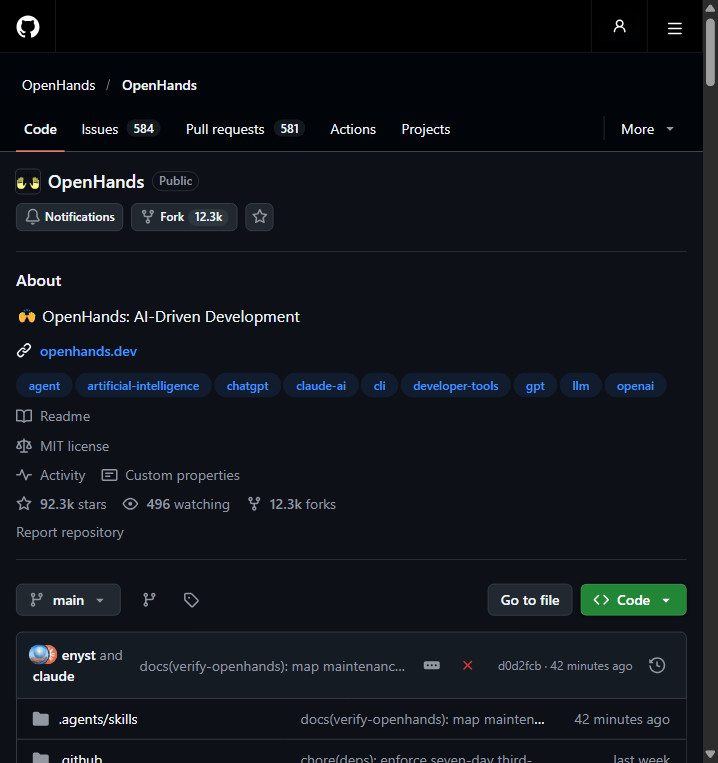
Step 3: Launch the workspace
Run “openhands serve” (or “openhands” for the terminal mode). It starts a local web workspace and prints a localhost address: open it in your browser. This is your cockpit: a chat panel on the left, a live code/file view in the middle, and a terminal showing what the agent is running.
Step 4: Give it your first task
Type something everyday, like: “Create a simple webpage that shows a countdown to Chinese New Year, with a nice blue background.” Watch OpenHands plan, write files, and run them. When it asks for approval to run code, you decide, and that’s your safety handle. Download or copy the result, and you’ve just had an AI build software for you.
Five failures you will hit, and the fix for each
- “pip” is not recognized: Python wasn’t added to PATH; reinstall Python and tick “Add Python to PATH”, or use “py -m pip install openhands-ai”.
- Login fails or “invalid API key”: copy the key from your provider dashboard and re-run “openhands auth login”; make sure there’s no extra space.
- The agent asks to run code and you’re unsure: it’s normal and safe to approve inside the sandbox, but review what it’s about to run. Never approve commands you don’t recognize on a machine with real data.
- Tasks too vague: OpenHands works best with a concrete goal (what to build, for whom, any style preference).
- Slow on long tasks: coding agents call the model many times; shorter, single-purpose tasks finish faster and cost less.
Start with a task you could do yourself in 20 minutes
OpenHands is the closest thing to hiring a junior developer who bills by API key and shows every step. The first task should be one you could finish yourself in twenty minutes (renaming forty files, converting a folder of images), because then you can tell a wrong answer from an imperfect one. Commit the project before a long run, approve commands line by line, and keep the machine free of live keys.
Set a budget before your first task
OpenHands costs nothing to install. The model calls are what cost money, and a coding agent makes many of them: it reads a file, runs a command, reads the error, edits, runs again. One small task can be thirty calls.
- Start on the cheapest model that finishes your task. Move up only after it fails twice on the same step.
- Watch the token count per task for a week. The number that matters is cost per finished task, not cost per call.
- Keep tasks under an hour. A task that runs all afternoon usually means the requirement was vague, and you pay for the agent guessing.
- Compare against doing it yourself. A 40-minute agent run to save 15 minutes of manual work is a loss even at low prices.
A real first task, word for word
This prompt works because it names the folder, the file naming pattern, the output file and the rule about not touching originals. Copy the shape, change the details.
In this folder there are 40 photos named like 2026-03-14_receipt_12.80.jpg. Write a Python script that reads the date and amount from each file name, writes receipts.csv with the columns date, amount and file, sorts by date, and prints the total. Do not rename or move the original files.
Run it, read the plan before you approve anything, then open the CSV in a spreadsheet and check three rows against the photos by hand. If those three are right, the other thirty-seven almost certainly are.
What it is bad at
- Visual design. It will produce working layout, not good taste. Expect to restyle what it ships.
- Requirements you have not decided. A vague brief turns into a long, expensive conversation with a machine that keeps guessing.
- Repositories with secrets. Do not point it at a folder containing live API keys or customer data until you have checked what it reads.
- Long multi-step jobs without checkpoints. Break a big job into three smaller ones and approve each.
Before you press approve
- Read the command itself, rather than the agent's explanation of it.
- Confirm the working folder is inside your project, not your whole drive.
- Refuse anything that deletes or overwrites files outside the project folder.
- Keep secrets out of the chat. Paste a dummy value and replace it yourself afterwards.
- Commit your work before a big run, so a bad edit costs one command to undo.
Official Websites (Avoid Phishing)
Fake and phishing sites often rank high in search results. Only use the official URLs below.
AI Chatbots & Assistants
- Geminigemini.google.com
Open Source & Local AI
- OpenHandsopenhands.dev