
Every stalled website starts the same way: an idea (a blog about local food, a portfolio of your photos, a landing page for the side business) and then the sentence that ends it, I cannot code. That sentence no longer costs you a website. Describe the site in one sentence in 2026 and the text, layout and images come back built. Three beginner routes follow, and the fastest one gets walked all the way to a live URL.
Three routes, three goals
- Framer AI: design-first. Describe your idea, get a polished multi-page site you can edit by dragging. Best for portfolios, blogs, landing pages. Free tier available.
- Wix ADI: small-business friendly. Answer a few questions about your shop or service, get a ready site with booking and payment built in. Best for local businesses.
- AI-written code: full control. Ask an AI coder (like OpenHands from our guide) to generate HTML, host it free on Cloudflare Pages. Best when you want total control and learn as you go.
The quickest path: Framer AI, step by step
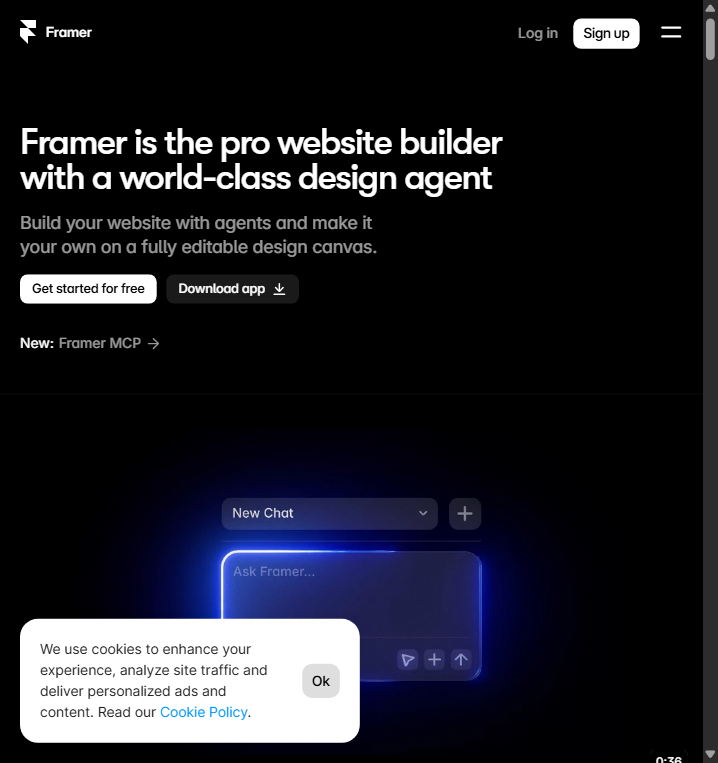
Go to framer.com and sign up free. Click “Create with AI”, type one sentence, for example: “A cozy blog about cooking traditional Malaysian dishes, with a hero photo, recipe cards and a newsletter signup”, and press generate. Framer produces a complete multi-section page in seconds.
Make it yours
Click any section to edit text and swap images (use your own photos to avoid stock-image confusion). Drag sections to reorder. Pick a font and color theme that matches you, then preview on phone and desktop. When happy, click Publish: Framer gives you a free subdomain like yoursite.framer.app, and you can connect your own domain later.
The Wix route for small businesses
If you sell services or products locally, Wix ADI asks simple questions (“what do you do? where? phone?”) and builds a site with menus, bookings and payments included. It’s the fastest way to get a professional-looking local business site, and you can hand it to a helper to edit afterwards.
Where first sites break
- AI images look off-brand: replace generated photos with your own; real photos build trust faster.
- Forgetting SEO basics: set a clear page title and description, add real text (not image-only sections), and submit your site to Google Search Console.
- Free subdomain looks unprofessional: buy a domain (like yourname.com) and connect it; most builders make this a 5-minute settings step.
- Too many sections: a landing page works best with hero, 2-3 content blocks, and one call-to-action. Cut what doesn’t serve the goal.
- Not checking mobile view: most visitors come from phones; preview and fix the mobile layout before publishing.
Start smaller than you want to
The price of a first website has collapsed, and the order matters more than the tool. Framer AI first, because you need to feel how quick this is; Wix once you need bookings, payments or a shop; AI-written code when the site has to do something the builders cannot. Your idea is older than your homepage, and that is the actual problem to fix this week.
Route 3, done for real: what the pipeline looks like
The site you are reading uses the third route. Every article is one record in a JSON file. A Python script turns those records into HTML. One deploy command pushes the folder to Cloudflare. There is no database, no CMS and no admin login to keep patched.
The point is not that the code is clever. The point is that the whole project stays small enough to read in one sitting, which is what keeps an AI-written site from rotting six months later.
This is the full loop we run when adding a page:
python scripts\build.py python scripts\check_site.py npx wrangler deploy
- Add one record to the content file: title, description, date and body blocks.
- Run the build. It writes the HTML for every language version of that page.
- Run the link check. It fails loudly if any internal link or image path is broken, which is the mistake beginners ship most often.
- Deploy. Copy the version id the command prints, then open the live URL and confirm the new sentence is actually there.
What a small site actually costs
| Item | Typical cost | Note |
|---|---|---|
| Domain name | roughly $10 to $15 a year | The only unavoidable bill |
| Hosting | $0 on a free plan | Free plan covers a small site; you pay when traffic grows |
| Images | $0 | Compress them locally before upload |
| CMS or database | $0 | Not needed for a content site built this way |
Go-live checklist
- Every page has its own title and description. Identical titles across pages is the fastest way to look like a template farm.
- sitemap.xml lists every URL you want indexed, and robots.txt points at it.
- Submit the sitemap in Google Search Console and check that the homepage is crawlable.
- Open three pages on a phone. Fix anything that needs horizontal scrolling.
- Click every link once. Broken links are the cheapest quality signal you can fail.
- Write ten real pages before you promote the site anywhere. A five-page site with a contact form does not earn a bookmark.
Where AI still needs you
AI writes the HTML and the layout. It cannot take your photos, check your prices, or decide what the site is for. Those three things are what visitors actually judge, and they are still your job.
Official Websites (Avoid Phishing)
Fake and phishing sites often rank high in search results. Only use the official URLs below.
Open Source & Local AI
- OpenHandsopenhands.dev
Productivity
- Makemake.com