
A few weeks ago you had an idea — a blog about Malaysian food, a portfolio for your photos, a landing page for your side business — and the first blocker was “I can’t code a website.” That blocker is gone. In 2026 you describe your site in one sentence and AI builds it: text, layout, images and all. This guide walks through the three beginner-friendly routes and shows the quickest one end to end.
Three routes, three goals
- Framer AI — design-first. Describe your idea, get a polished multi-page site you can edit by dragging. Best for portfolios, blogs, landing pages. Free tier available.
- Wix ADI — small-business friendly. Answer a few questions about your shop or service, get a ready site with booking and payment built in. Best for local businesses.
- AI-written code — full control. Ask an AI coder (like OpenHands from our guide) to generate HTML, host it free on Cloudflare Pages. Best when you want total control and learn as you go.
The quickest path: Framer AI, step by step
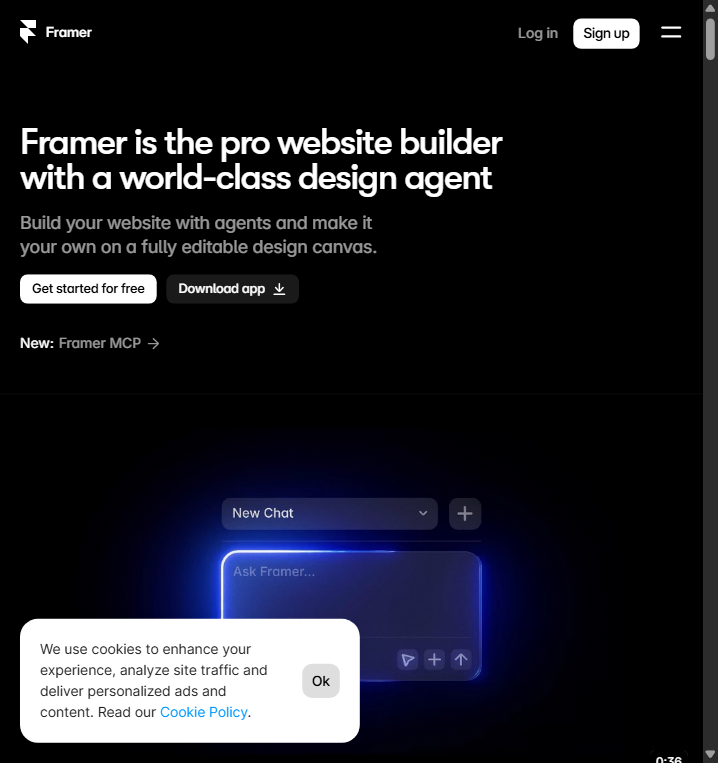
Go to framer.com and sign up free. Click “Create with AI”, type one sentence — for example: “A cozy blog about cooking traditional Malaysian dishes, with a hero photo, recipe cards and a newsletter signup” — and press generate. Framer produces a complete multi-section page in seconds.
Make it yours
Click any section to edit text and swap images (use your own photos to avoid stock-image confusion). Drag sections to reorder. Pick a font and color theme that matches you, then preview on phone and desktop. When happy, click Publish — Framer gives you a free subdomain like yoursite.framer.app, and you can connect your own domain later.
The Wix route for small businesses
If you sell services or products locally, Wix ADI asks simple questions (“what do you do? where? phone?”) and builds a site with menus, bookings and payments included. It’s the fastest way to get a professional-looking local business site, and you can hand it to a helper to edit afterwards.
Common beginner pitfalls
- AI images look off-brand — replace generated photos with your own; real photos build trust faster.
- Forgetting SEO basics — set a clear page title and description, add real text (not image-only sections), and submit your site to Google Search Console.
- Free subdomain looks unprofessional — buy a domain (like yourname.com) and connect it; most builders make this a 5-minute settings step.
- Too many sections — a landing page works best with hero, 2–3 content blocks, and one call-to-action. Cut what doesn’t serve the goal.
- Not checking mobile view — most visitors come from phones; preview and fix the mobile layout before publishing.
Bottom line
AI has collapsed the cost of a first website. Start with Framer AI to feel the speed, switch to Wix if you need business tools, and move to AI-written code when you want full control — your idea deserves a homepage sooner than you think.
Official Websites (Avoid Phishing)
Fake and phishing sites often rank high in search results. Only use the official URLs below.
Open Source & Local AI
- OpenHandsopenhands.dev
Productivity
- Makemake.com